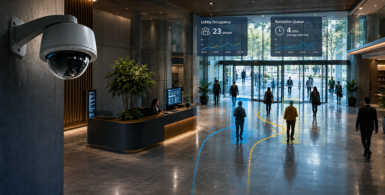
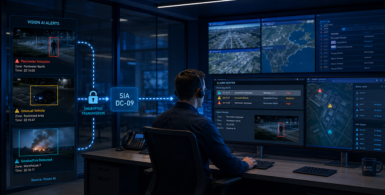
Vaidio now supports SIA DC-09 for direct alarm transmission to control rooms
VAIBS now supports the SIA DC-09 protocol within Vaidio. This allows alarm notifications generated by the Vision AI platform to…
Vaidio 10.0 is now available. This new release focuses primarily on processing video more efficiently, scaling large installations more easily and assessing alerts more accurately. Vaidio 10.0 also introduces new possibilities for analysing previously recorded video and using Vision Language Models as an additional verification layer. We have listed the most important updates below.
One of the key improvements in this release is the more efficient processing of video streams. Depending on the hardware and configuration, Vaidio 10.0 can operate up to three times more efficiently. This means that a server can process more cameras and analytics simultaneously. End users can therefore make better use of their existing hardware or achieve the same capacity in new projects with less server and GPU processing power. This can make a significant difference in large-scale installations. Examples include airports, municipalities, industrial locations, retail chains and control rooms where hundreds or even thousands of camera streams are analysed.
Vaidio 10.0 also supports new NVIDIA architectures, including Blackwell and Grace Hopper. This prepares the platform for the latest generation of AI hardware. This support is particularly relevant for organisations that want to connect large numbers of cameras or run several resource-intensive Vision AI applications at the same time. Existing hardware remains supported, while new installations can benefit from the increased processing power and efficiency offered by the latest generation of GPUs.
Vaidio has also improved the technical architecture of the platform. It is moving further towards a modular multi-container architecture, in which different software components are divided across separate containers. Although this may sound technical, the benefit is straightforward: individual parts of the platform can be managed, maintained and scaled more easily.
When additional video analysis capacity is required, the entire platform does not necessarily need to be expanded. This makes Vaidio better suited to large cloud environments, Kubernetes deployments and organisations with multiple servers or locations.
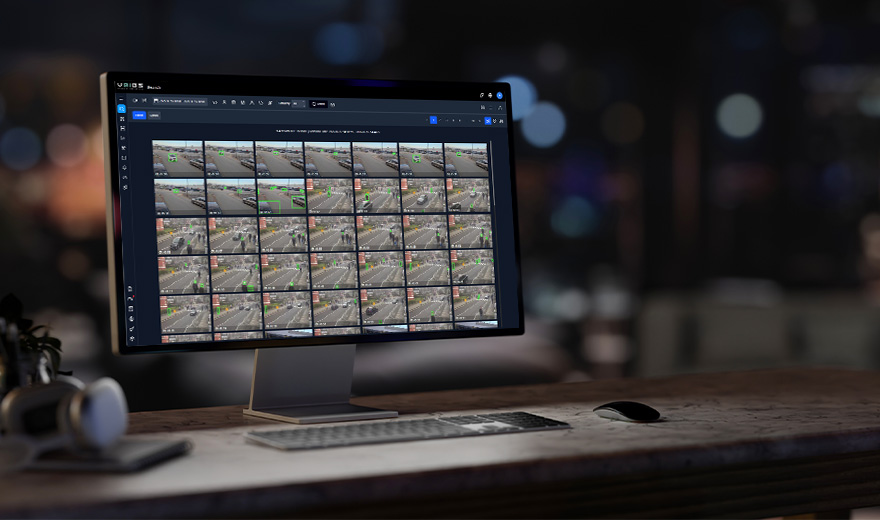
Analysing recorded video was already possible within Vaidio. Previously, users could manually upload video files and then analyse or search them for people, vehicles, objects, behaviours and specific incidents. Recorded Video Analysis makes this process easier. Vaidio can now retrieve recorded video directly from a connected NVR and analyse it retrospectively. This removes the need to export and upload video files manually.
As a result, investigating historical video becomes faster and more accessible. The analysis can also be scheduled for periods when the server is under less load, such as during the night. This allows the available hardware to be used more efficiently throughout the day.
One of the most notable innovations is Vaidio Vista. This application uses a Vision Language Model to assess alerts generated by the regular video analytics. Vaidio’s existing analytics first perform the fast initial detection. When a potential event is detected, Vista can examine the situation in greater detail and determine whether the alert is actually relevant. For example, when the system detects a person lying on the ground, Vista can help determine whether the person may have fallen or is simply exercising or carrying out work.
This means that the system looks beyond the presence of an object and also considers the wider context of the situation. This can help reduce unnecessary alerts and provide control room operators with more useful information immediately. The advantage of this approach is that a resource-intensive Vision Language Model does not need to continuously analyse every camera stream. It is only used when additional verification is required. Vaidio therefore combines the speed of traditional Video AI Analytics with the broader contextual understanding of generative AI.
The Vaidio Command Center has also been expanded. In environments with multiple Vaidio servers and locations, users can work more easily from one central interface. This includes viewing live video, retrieving recorded footage, checking camera statuses and carrying out searches across multiple cameras and locations. This makes management more straightforward for organisations whose video surveillance is distributed across different buildings, branches, sites or regions.
Vaidio 10.0 also adds new and further enhanced integrations with March Networks and VDG Sense. Organisations using these video management systems can therefore connect Vaidio to their existing video infrastructure more easily. Object support within Crowd Detection has also been expanded. This allows the platform to analyse crowds and busy environments in more situations and with a wider range of object types.
In conclusion, Vaidio 10.0 represents a significant step forward in capacity, scalability and intelligent alert verification. The platform can process more video, analyse recorded footage retrospectively and assess alerts more accurately using Vision Language Models. Vaidio is therefore continuing to develop from a platform for individual video analytics into a broad Vision AI solution for live monitoring, investigation, verification and operational insight.
Would you like to know what Vaidio 10.0 could mean for your organisation and existing camera system? Contact our specialists. They will be happy to assist you.