Data Sovereignty in Vision AI Goes Beyond Data Location
By Kasper van Kekem, CEO of VAIBS When I speak with organisations about Vision AI, data sovereignty is becoming an…

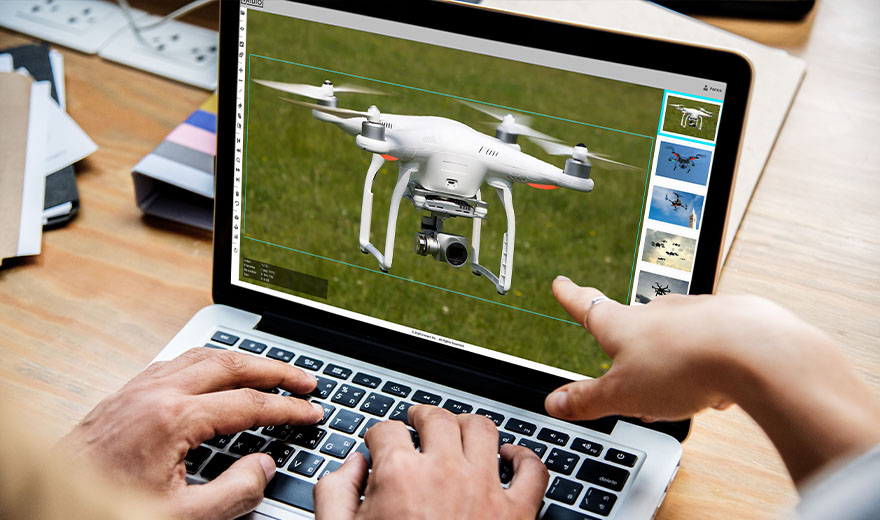
An AI model is trained by letting it analyze large numbers of examples and repeatedly comparing the outcome with the correct answer. Based on its mistakes, the model adjusts itself step by step until it becomes better at recognizing patterns. In Vision AI, this can involve recognizing people, vehicles, safety helmets or other objects in images.
A model needs examples. Suppose you want to train an Vision AI model to recognize safety helmets. You would need images of people:
The more variation there is in the training data, the better the chances that the model can deal with different situations in practice.
During training, the model needs to know what the correct answer is. That is why data is often labeled or annotated.
For example:
With object detection, the exact location of an object in the image is often marked as well. These correct answers form the so-called ground truth.
During training, the AI model makes its own predictions. In the beginning, those predictions are often incorrect. The prediction is then compared with the ground truth. Based on the error, internal parameters are adjusted.
This process is repeated many times. In this way, the model gradually learns which visual patterns belong to, for example, a person, car or safety helmet.
A model should not only perform well on images it has already seen. That is why part of the data is kept separate for validation.
The question is then: Does the model also perform well on images that were not literally part of the training set?
The ability to perform well in new situations is called generalization.
Good results on a dataset do not automatically mean that a model will work perfectly in a real environment. In practice, factors such as the following can affect performance:
That is why testing in the actual environment remains important.
Once an AI model has been trained and is used to analyze new images, we refer to this as inference. This is the stage where what the model has learned is applied in practice.
It does not automatically mean that these new camera images are used again to retrain the model. This distinction is important when discussing topics such as privacy and data use.
Some situations occur rarely or are difficult to capture. In those cases, synthetic data can be used: artificially generated images that add extra variation and rare scenarios to the training data. This can help prepare a model for situations that are difficult to collect in the real world.