Skip to content

Heat mapping: the smart way to get a grip on energy consumption

At a time when energy costs continue to rise and sustainability is becoming increasingly important, many organisations are looking for smart ways to use energy more efficiently. What if your existing security cameras could help you do this? Using Video AI Analytics and heat mapping, companies can save a surprising amount of energy – without large investments in new systems.

What is Video AI Analytics?

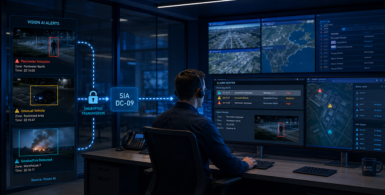
Video AI Analytics is an AI-based technology capable of automatically monitoring and analysing images from video cameras. Using smart algorithms, it can detect all kinds of objects or behaviour and spot anomalies. Is something happening that is unwanted? Then Video AI Analytics can automatically send out alerts to a monitoring centre, for example. By analysing footage, it also simultaneously collects data that can be used for decision-making.

What is heatmapping?

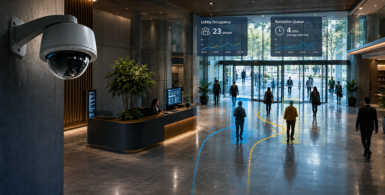
Heat mapping is a technique that analyses where and when people are in a building. This is done based on images from existing security cameras. Video AI Analytics recognises where there is a lot of activity (e.g. during peak hours in an office garden or meeting room), but also which areas are structurally hardly used. This is visually represented in the form of a ‘heat map’, with warm colours (such as red and orange) indicating busy areas, and cool colours (such as blue and green) indicating quiet or unused areas.

A heatmap shows where the most activity takes place within a given area.

Applications for energy saving

Heat mapping provides valuable insights that can be directly translated into energy-saving measures. For example:

  • Smart lighting: rooms with little or no use can be automatically excluded from lighting outside peak hours. This prevents unnecessary burning lamps in empty corridors or office spaces.
  • Optimising climate control: by knowing where many people are, temperature control can be adjusted accordingly. Busy rooms can be cooled slightly earlier, while empty rooms do not need to be heated or cooled unnecessarily.
  • Space management: understanding underutilised spaces helps in using square metres more efficiently. Which space is actually needed?
  • Use analysis: based on patterns over several weeks, companies can more intelligently align their opening hours, cleaning rounds or facility deployment with actual usage.

No new hardware required

A big advantage is that companies do not need to buy new hardware. Video AI Analytics works in conjunction with existing (and new) security cameras. Often, larger organisations already have tens to hundreds of cameras hanging. So this network can be simply upgraded with additional intelligence for heat mapping, for example. This suddenly gives a camera network much more value, as it can be used for more than just security. This keeps implementation costs lower than investing in new hardware.

Who is this interesting for?

Heat mapping is an interesting technique suitable for a variety of situations. Below, we list some of them:

  • Large office buildings with lots of flex spaces or meeting rooms.
  • Government buildings and universities with varying use per room.
  • Industrial environments where energy-intensive equipment can be switched on or off at smart times.
  • Hospitals or healthcare facilities that want more efficient lighting and air conditioning without compromising on comfort.

The power of data in sustainability

Video AI Analytics and heat mapping are powerful tools that help make sustainability tangible and measurable. Not through large-scale renovations or radical changes, but through smart data insights from existing cameras. In short: less waste, more insight and lower costs. A win-win for every company that is serious about saving energy.

Wondering what this technology can do for your organisation?Discover the possibilities of heatmapping within Vaidio or Contactone of our specialists.

Henk-Jan Hop

Smart cameras. Smarter insights.

Also interesting to read

Bas Commandeur

Sales Support
Contact

Contact

Bas Commandeur

Sales Support
Contact

Demo aanvragen

Bas Commandeur

Sales Support
Contact

Contact (ENG)

"*" indicates required fields

Bas Commandeur

Sales Support
Contact

Request a demo

"*" indicates required fields

Bas Commandeur

Sales Support
Contact

Demo aanvragen (DUI)

"*" indicates required fields

Bas Commandeur

Sales Support
Contact

Contact (DUI)

"*" indicates required fields

Bas Commandeur

Sales Support
Contact

Word een partner!

"*" indicates required fields

1Bedrijfsgegevens
2Persoonsgegevens
3Diensten
Bedrijfsnaam
Adres*

Bas Commandeur

Sales Support
Contact

Download de VAIBS Brochure (NL)

"*" indicates required fields

Bas Commandeur

Sales Support
Contact

Download de VAIBS Brochure (ENG)

"*" indicates required fields

Bas Commandeur

Sales Support
Contact

Download de VAIBS Brochure (DUI)

"*" indicates required fields

Bas Commandeur

Sales Support
Contact

Download de whitepaper gezichtsherkenning

"*" indicates required fields

Bas Commandeur

Sales Support
Contact

Download de VAIBS Brochure Zorg (NL)

"*" indicates required fields

Bas Commandeur

Sales Support
Contact

Become a Partner!

"*" indicates required fields

1Company details
2Personal data
3Services
Type of partner
Company name
Address*

Bas Commandeur

Sales Support
Contact

Werden Sie Partner!

"*" indicates required fields

1Unternehmensdaten
2Persönliche Daten
3Dienstleistungen
Partnerkategorie
Firmenname
Adresse*